Posts

Access to Royal Society Digital Journal Archive

Image
As the world’s oldest science academy, The Royal Society are looking forward to celebrating their 350th anniversary and to mark this special occasion they are making their digital archive containing more than 65,000 articles free to access from 23 Nov 2009 to 28 Feb 2010 . The development of the digital archive means that the Society's online collection now contains every paper ever published in the Royal Society's journals - from the very first peer-reviewed paper in Philosophical Transactions - to the most recent interdisciplinary article in Interface.
Introduction to E-knowledge

Do you need help finding the books and journals you need in the library? Come to the library training room on the ground floor any day from Monday to Thursday at 11.30 or 15.00 to learn how to use the library’s E-knowledge system to find the resources you need.

e-Knowledge: easier and faster

e-Knowledge is the University Library's link to information. By adopting the latest web technology, e-Knowledge has a new and powerful search system. Through e-Knowledge, the Library provides access to a wide range of print and electronic information resources from a single point. The Library catalogue has become much more intuitive and flexible to use, since it employs an Amazon-type interface. A search for books can be transferred seamlessly to a search for journal articles or NUI Galway research publications. Find out more about e-Knowledge. Visit the Library foyer on Wednesday 4 November between 2pm and 4pm. Library staff will be on hand to demonstrate all the new features of e-Knowledge.

ILL Notice for electronic delivery of Articles:-

If you are getting articles delivered electronically you will need Adobe Reader version 4 or above with the FileOpen plug-in installed. You can get the plug-in by visiting http://plugin.fileopen.com . We recommend that you consult your IT department if you do not have the rights to do this.

Inter Library Loans goes paper free (at last!)

Inter Library Loans procedures are changing and, we hope, making life easier for you. From the 21st of October Inter Library Loans will be completely integrated with the main Library system. To order an ILL, select the ‘ Inter Library Loans ’ quick link from the library homepage (as before), and enter your CASS username and Password (this is the same as your email username and password). Fill in the required fields in the relevant order form. It will no longer be necessary to print a copyright statement and sign it- simply tick a box on the screen to agree to the copyright terms. Once your request is submitted it will be possible to monitor and manage your request through your main library account. Electronic delivery of articles and all messages from Inter Library Loans will now go to your contact details as they are on your main Library account.

QRcodes

Image
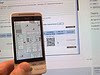
QRcodes are handy barcodes you can scan with a smartphone. We've started to use them experimentally in the library catalogue. We hope they'll save your fingers inputting lengthy URL's when you want to bring up a book-location map or ARAN repository PDF in your smartphone. Bring the map with you as you locate the book! Read the PDF on the bus. While they are used extensively in Japan for advertising purposes, we think this is their first application in a library catalogue. Enjoy!

Guardian/Observer Archive: new e-resource

The Library has purchased outright the Guardian/Observer archive which is on the Proquest Historical Newspapers platform. This archive provides fulltext access to The Guardian (1821-2003) and The Observer (1791-2003). Access is available via 'e-resources A-Z' on e-Knowledge at http://www.library.nuigalway.ie/ See further information at: http://www.proquest.co.uk/assets/literature/products/databases/guardian_observer_en_uk.pdf

Self service payment of Library fines

Students no longer have to queue at the Customer Services Desk to pay fines. Use the touch screen attached to the self-check machine located to the right of the Desk. Enter your student ID number and the fines amount will be displayed. Payment is made by using a copy card, which can be purchased from the machines adjacent to the photocopiers. Any fines will converted into copy card units, and students choose the number of units they wish to pay off. Feed the copy card into the self service payment unit next to the touch screen. This service will be particularly useful for students using the Library on Saturday afternoon and Sunday when the Customer Services Desk is not staffed. Just follow the instructions on the screen. If you do have problems, please ask Library staff for help.